
Clean up your photos without handing them over.
Find duplicates, blurry shots, screenshots and large videos, and review them before you delete. Your photos are analyzed on your iPhone, never uploaded.
Scanning is free. Results and clean-up need Pro.
See what's really filling your storage.
One scan checks your whole photo library and sorts the clutter into piles you can deal with one at a time.
Swipe to keep or delete.
- You review everything before it goes. Tap any photo to preview it full-size.
- Removed photos move to Recently Deleted, where iOS holds them for 30 days.
Your photos never leave your iPhone.
There is no CleanSight account and no photo upload. This is what stays on the device, and the little that does not.
- Your photos and videos
- Text read by Privacy Scan
- Everything in the Vault
- Usage statistics
- Crash reports
- Purchase data
The privacy policy has the full list. How it works walks through each step.
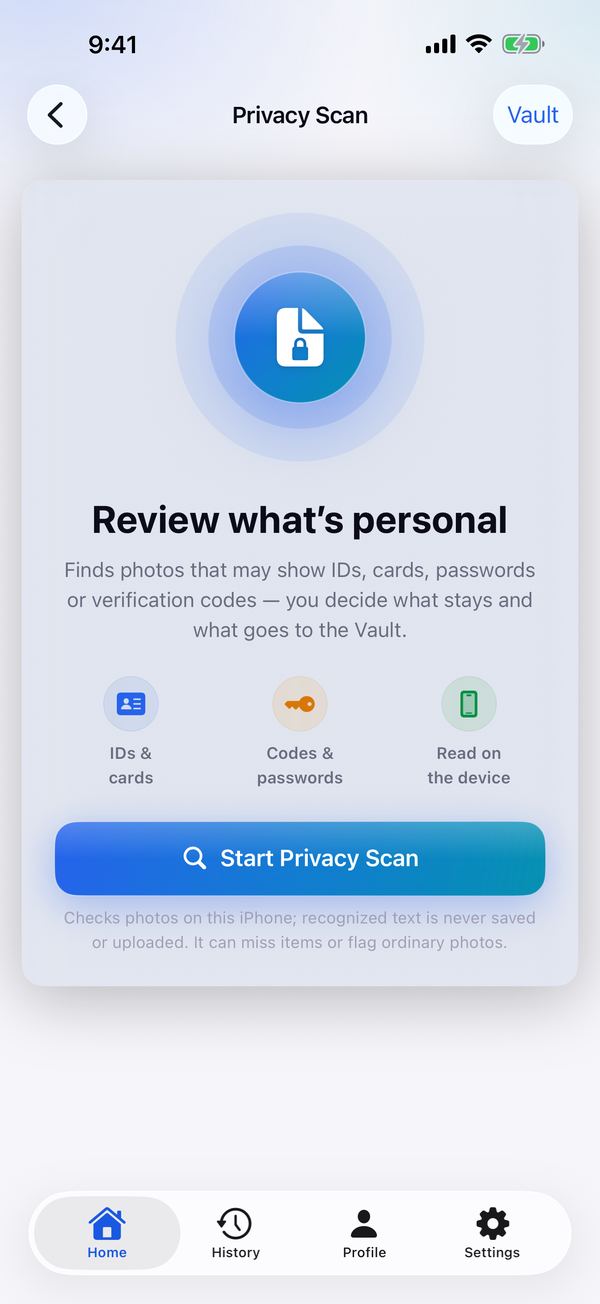
Find photos with private details.
Privacy Scan suggests photos that may show IDs, cards, passwords or verification codes. You decide what stays and what goes to the Vault, behind Face ID.
It reads English text only, and it can miss items or flag ordinary photos.
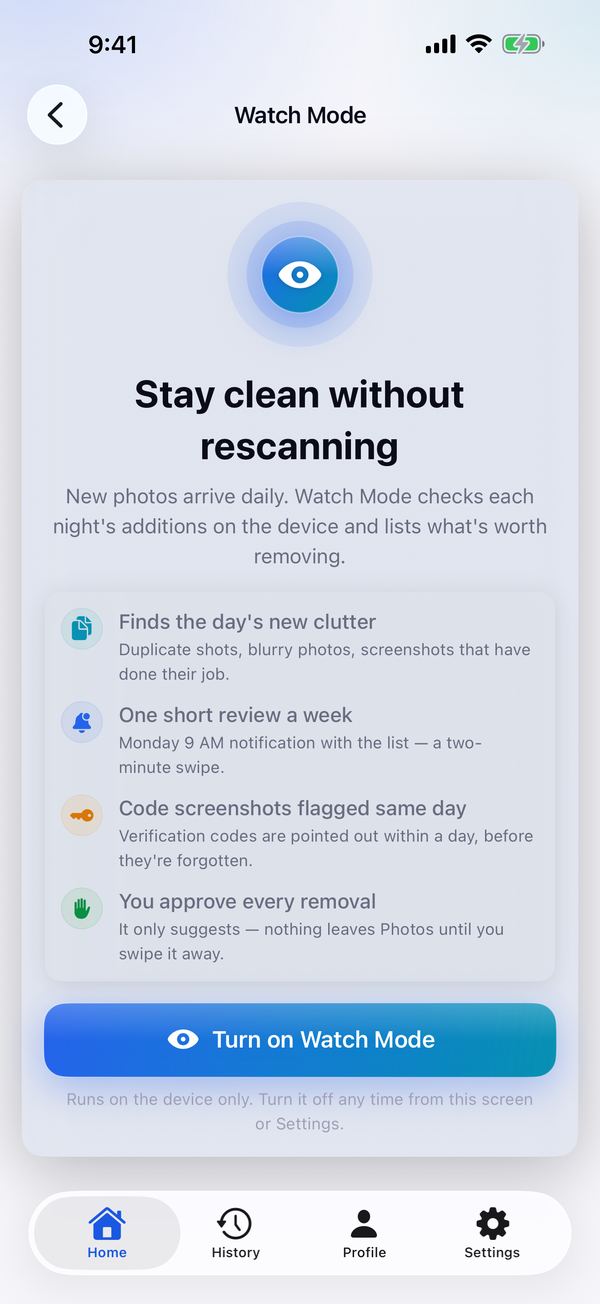
Stay clean without rescanning.
Turn on Watch Mode and each night's new photos are checked on the device. You get one short review a week. It only suggests: nothing leaves Photos until you approve it.
Scan free. Clean up with Pro.
Scanning costs nothing. Opening the results and every clean-up action need Pro, on whichever plan suits you.
Clear the backlog, then cancel whenever you like.
Includes a 3-day free trial for eligible new subscribers.
One payment. No subscription.
US prices. The App Store shows the price in your currency before you buy. Subscriptions renew until you cancel in your Apple account settings.
Straight answers.
Do my photos leave my phone?
No. Finding duplicates, spotting blur and reading the text in screenshots all happen on your iPhone, and there is no CleanSight account. Usage statistics, crash reports and purchase data are sent, as the privacy policy describes. A photo never is.
What is free and what needs Pro?
Scanning is free. Opening what a scan found, and every action that removes or rewrites something, needs Pro.
Does deleting free up space straight away?
Not on any app. iOS keeps deleted photos in Recently Deleted for 30 days, and CleanSight says so instead of claiming the space is already free.
Can it delete something I wanted to keep?
Not without you. Bulk deletion always has a review step, and iOS holds removed photos in Recently Deleted for 30 days.
What about photos stored in iCloud?
CleanSight marks which originals are in iCloud and which are on the device, so you know what a delete affects.
Reclaim your photo storage.
CleanSight is on the App Store for iPhone and iPad.
iOS 18 or later · Scanning is free